OpenDataDSL
Extensions
Ready-made apps for the portal and Excel, and the tools to build your own
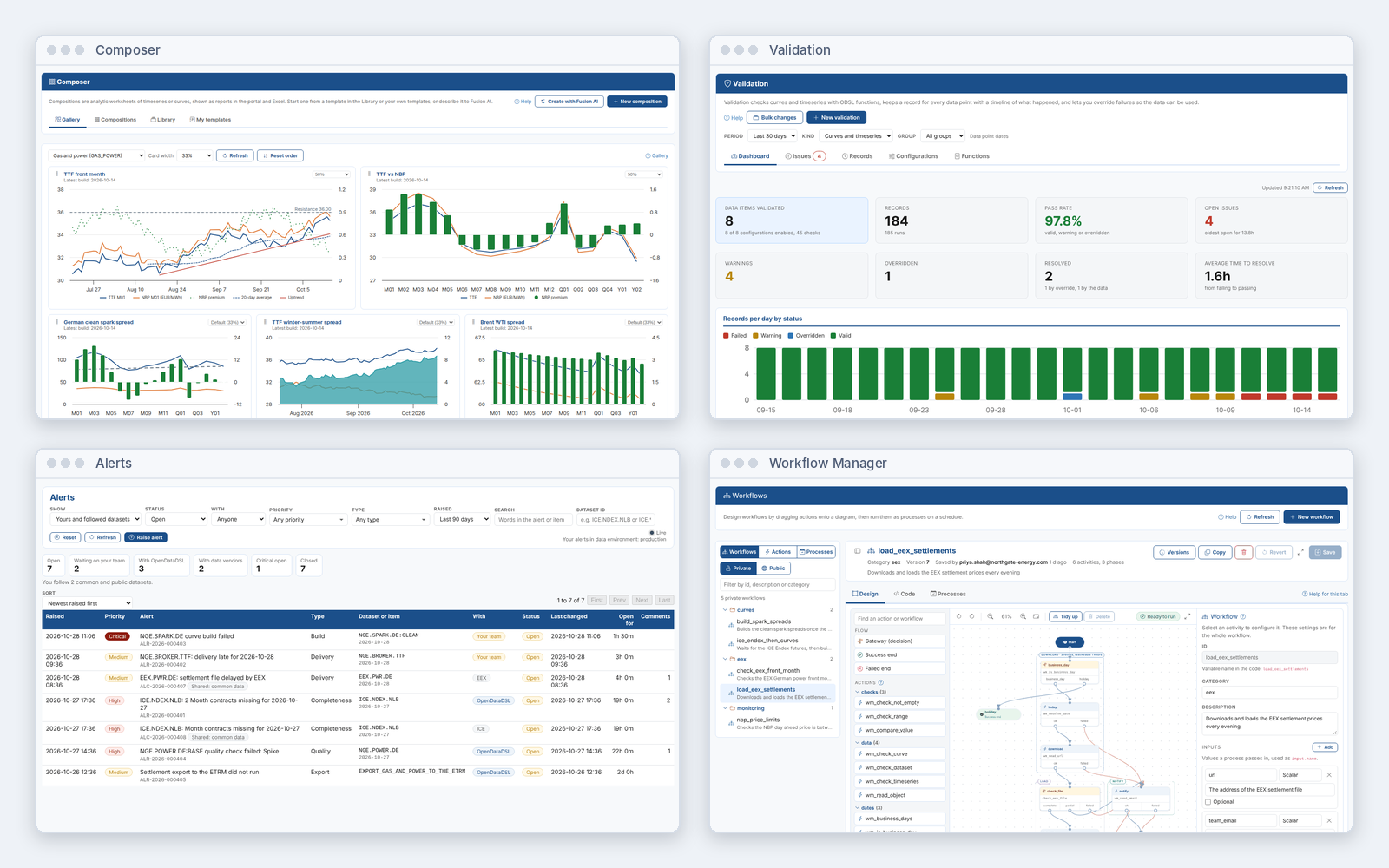
Add screens for the work your team does every day: ready-made extensions for curves, validation, integration, alerts and more, built in exactly the same way as the ones you can build yourself.
The Application Challenge
The Challenge
Every team works with market data in its own way. A data platform with one fixed set of screens leaves gaps, and the gaps get filled with:
- Spreadsheets that copy data out of the platform
- Small in-house tools with their own logins and security
- Requests to IT that wait months for a developer
- Reports that only one person knows how to run
Each one is another copy of the data, another thing to maintain, and another place where the numbers can drift from the source.
Our Solution
An extension adds screens to the OpenDataDSL portal and Excel add-in for a particular job: a menu item with tabs that show your data the way your team works with it, and insight reports alongside.
Install ready-made extensions for building compositions, checking data quality, sending data to other systems, managing scripts, promoting changes and more. Each one works with your own access rights, on the data already on the platform.
When you need something of your own, describe it to Fusion AI and it builds the extension for you to review and approve.
Extensions: The Screens Your Team Needs, on the Data You Already Have
Key Benefits
Give every team the tools it needs without another application, another login or another copy of the data.
Ready for the Job
A growing catalogue.
Extensions for curves, compositions, validation, integration, alerts, workflows, promotion, scripts, notebooks, exports, calendars, reconciliation and more, each with a step by step guide.
Inside the Portal and Excel
Where your team already works.
Each extension has its own menu item, tabs and insight reports in the portal, and can show views in the Excel add-in instead, with no separate application to install.
Your Security, Your Data
Feature and data policies.
A feature policy decides who sees an extension's screens, and data policies decide what its pages can read and write. Everything works with each user's own access rights.
Build With Fusion AI
Describe the tabs you want.
A Fusion AI playbook plans the extension, writes every page, insight and the manifest, shows you each file, and saves it after you approve. It also hands back the script for your source control.
Private or Published
For your company or for everyone.
An extension you create is private to your company. Publish it to the public catalogue with a publisher code and any OpenDataDSL customer can install it.
Insights Alongside
Reports on the work.
Extensions add an Insights tab of reports on their own data, such as delivery over time, validation pass rates or alert response times.
How Extensions Work
What an Extension Is
Manifest: the extension itself, with its id, name, icon, description, views and the resources it needs, installed together.
Views: the pages users open, each one HTML, CSS and JavaScript that reads and writes platform data.
Insights: report pages listed on the Insights tab.
Policies: a feature policy for who sees the views, and data policies for what the pages can use.
Placement: each view says where it goes in the portal menu, and views with the same name become tabs of one menu item.
Three Ways to Build Your Own
With a Fusion AI playbook: describe the tabs on a task form, and Fusion plans and writes the pages, insights and manifest for you to approve.
With Fusion AI in a chat: change one page of an existing extension, or add a tab.
By hand: write the pages in VS Code with the OpenDataDSL extension and keep them in source control.
Every extension in the catalogue is built in exactly the same way, so what you build looks and works like the rest of the platform.
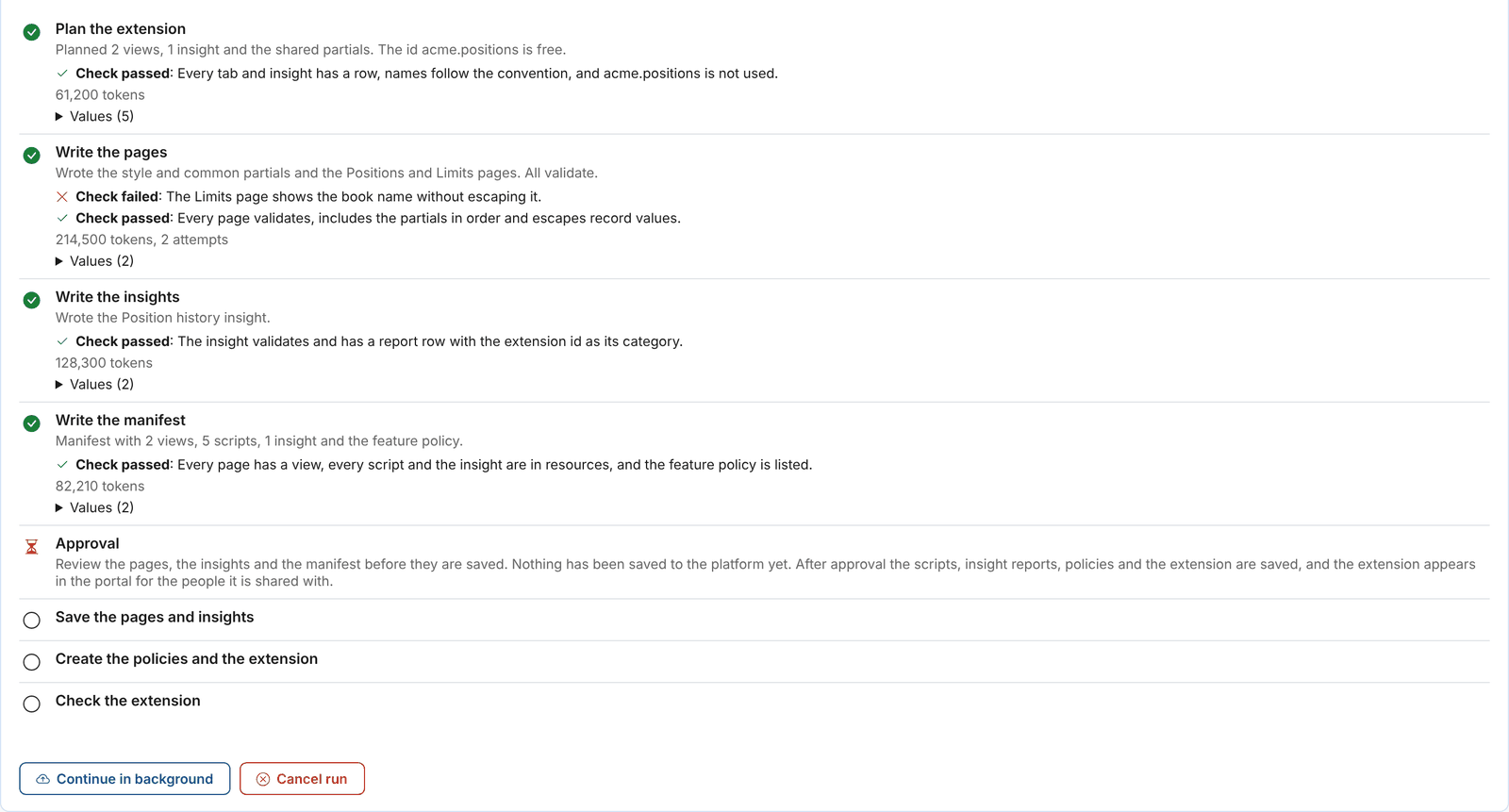
Fusion AI building an extension: every step is checked, and nothing is saved until you approve.
The Extension Catalogue
Some of the extensions ready to install today.
Composer
Analytic worksheets of curves and timeseries: line them up, calculate spreads and margins, and chart them.
Smart Data
Create, preview, build and track the smart curves and smart timeseries of your company.
Validation
Check curves and timeseries as they arrive, and keep a record of every result.
Integration
Send groups of curves and timeseries to ETRMs, risk engines and data lakes on a schedule, with a daily report.
Alerts
One place for your team to see and work on the alerts about your data.
Workflow Manager
Design workflows as a diagram and run them as scheduled processes.
Promotion
Move what you build and test into production, and undo it if you need to.
Script Manager
Browse, edit, run, debug, schedule and track the scripts and templates of your company.
Export
Export timeseries, curves, events and master data in the format other systems need, on demand or on a schedule.
Automations
See, check, change, test and create all the automations of your company.
Calendar Manager
Create, edit and test the holiday and expiry calendars of your company.
Data Loaders
Build loaders for files and APIs step by step, map their columns to fields, and run them on a schedule.
Integration with Platform Capabilities
Extensions are built on everything the platform already does
From Workarounds to Shared Tools
Extensions replace the spreadsheets and side tools that grow up around a data platform with screens inside it, working on the same data, with the same security, for everyone who needs them.
Your teams get the tools they need in days instead of months, and every one of them looks, works and is governed like the rest of the platform.
See the Extensions in Action
Book a demo and we will show the extensions your team would use, and build a new one with Fusion AI while you watch.
Get Started TodayData Management
How about a demo?
Our team is here to find the right solution for you, contact us to see this in action.
Fill out your details below and somebody will be in contact with you very shortly.