Data Loaders - Any File or API, Into the Platform, Without Writing a Script

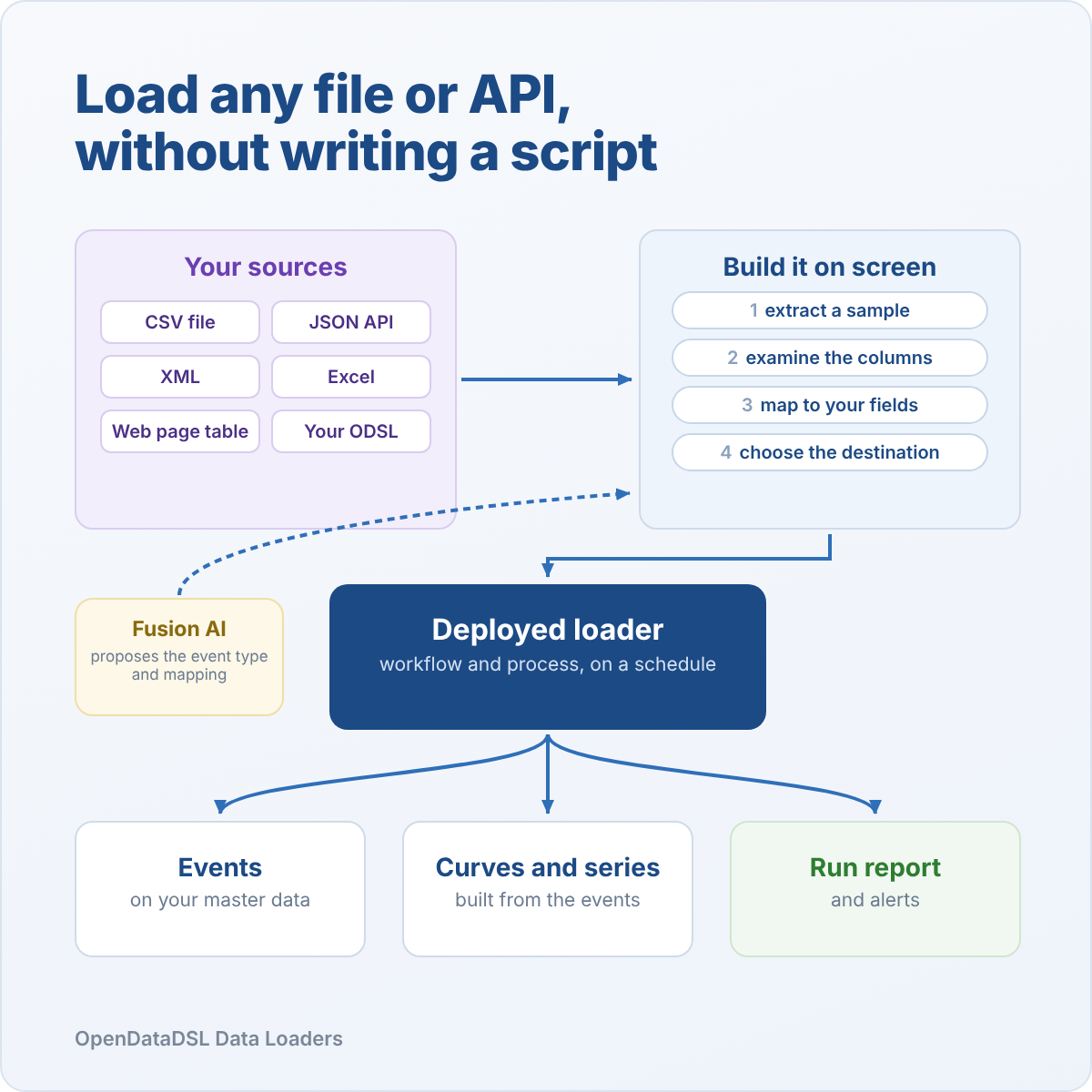
Introducing Data Loaders
A lot of the data a trading business runs on never comes from a market data vendor. It arrives as a broker's CSV file, an exchange workbook, a JSON API or a table on a web page, and every one of them used to need a script.
Data Loaders lets the people who know the data build that loader themselves, step by step on screen, with a real sample in front of them the whole way. Deploy it, and it runs on a schedule with a report of every run.
The script nobody has time to write
Every desk has a list of data it needs but does not have yet. A second broker's end of day settlements. A new exchange report. Weather readings for the wind farms. Prices published on a supplier's website.
None of it is hard to read. But each one means someone has to write a script: find the right columns, work out whether the date is day first, deal with decimal commas and n/a, leave out the total line, and make sure a rerun does not load everything twice. Then it needs scheduling, monitoring and someone to fix it when the file changes.
So the list gets longer, and the analysts keep copying numbers into spreadsheets while they wait.
Build it step by step, with the data in front of you
A data loader is built in five steps, and each one shows you what the platform has actually read.
Extract. Choose the kind of source and give its URL:
- CSV and text files, any separator, with or without a header line
- JSON APIs, with the path to the records
- XML documents and Excel workbooks, by element or by sheet
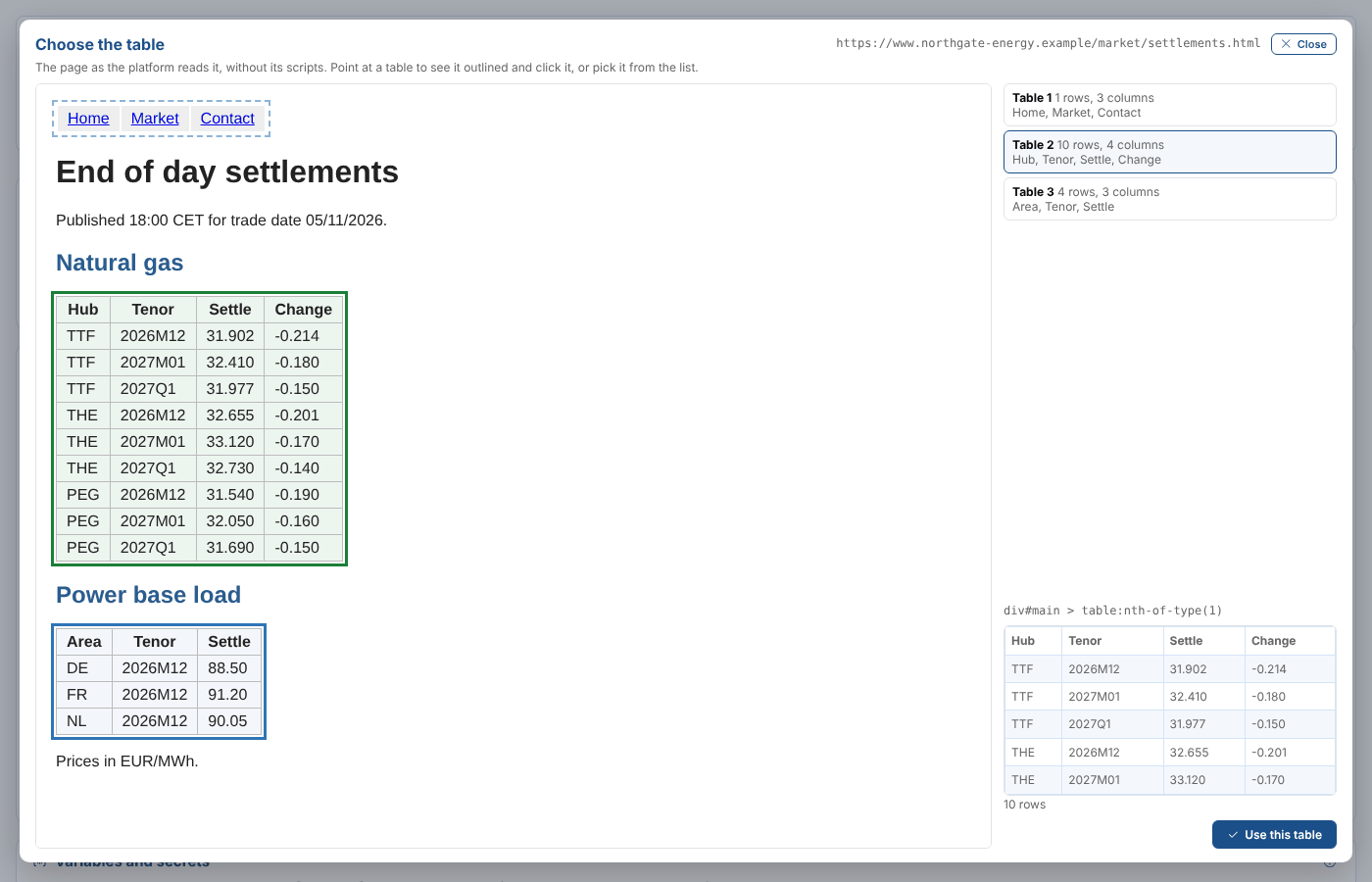
- Tables on web pages, picked by clicking them
- Your own ODSL, for anything the others cannot read
The URL can contain the date being loaded, such as settlements_{date:yyyyMMdd}.csv, so the same loader picks up each day's file.
Examine. The platform reads a sample exactly as a run will and shows you every row, with a profile of each column: what it looks like, how full it is, how many distinct values it has and their range.
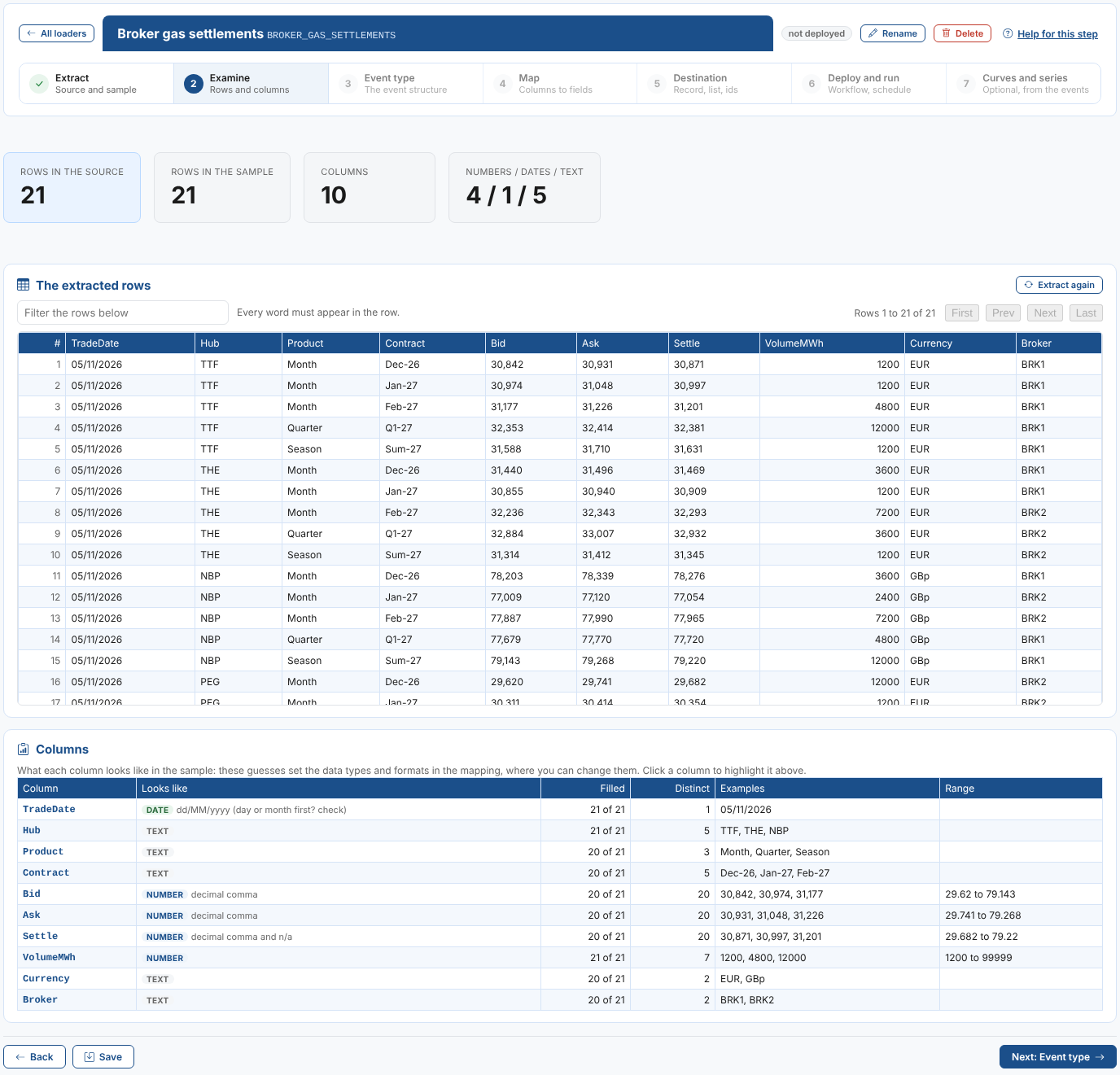
In our example, Northgate Energy's two gas brokers send a semicolon separated file every evening. The profile spots straight away that the trade date is day first, that the prices use a decimal comma and that Settle has an n/a in it. Nobody has to open the file to find out.
Map columns to fields by drawing a line
Event type. Choose an existing event type, define a new one from the columns, or load without one.
Map. Columns are on the left, the event's fields on the right. Drag a column onto a field and a line joins them.
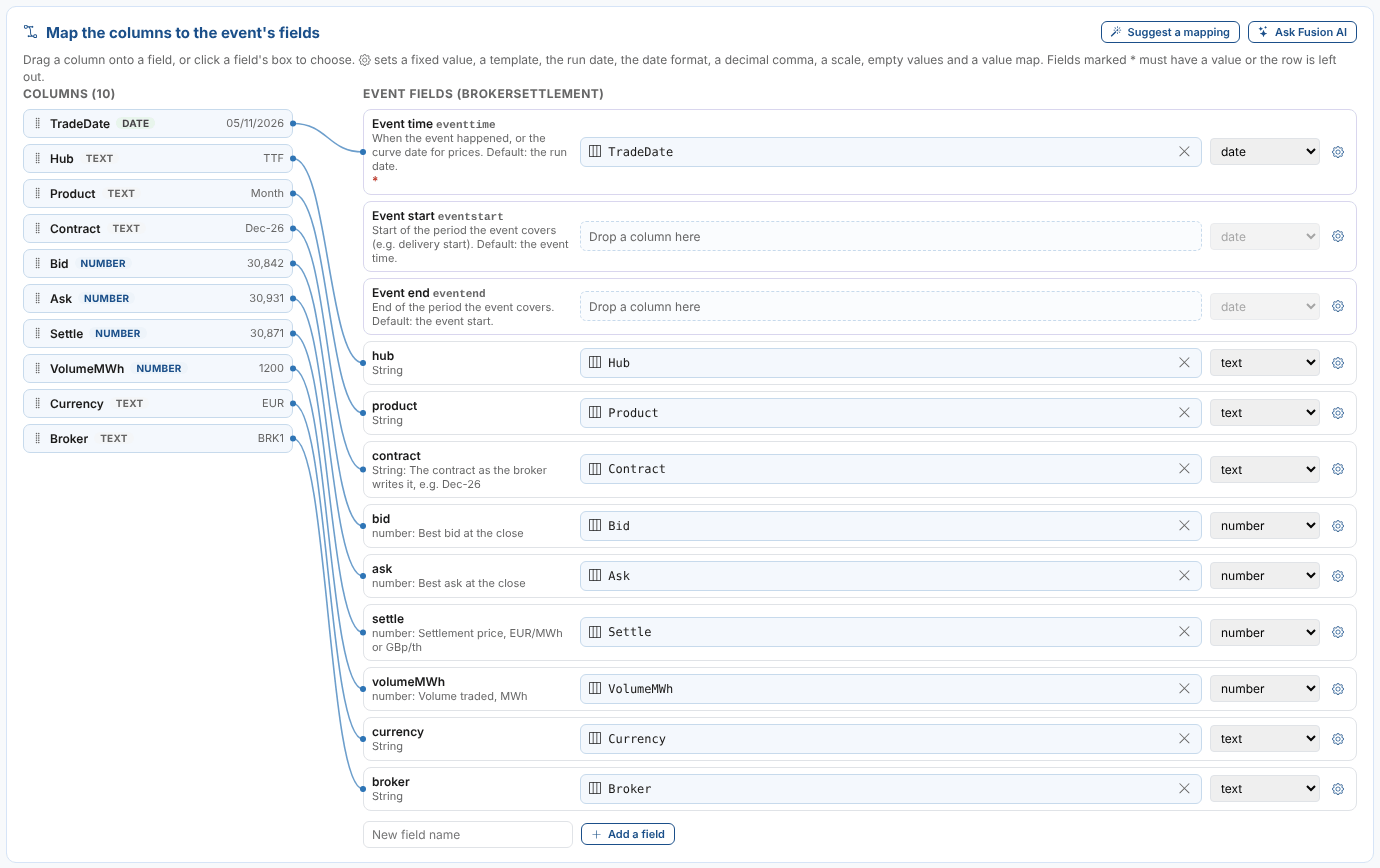
Each field has its own settings: the data type, the date format, a decimal comma, a scale (pence to pounds, for example), the values that mean empty, and a value map that turns the broker's Dec-26 into your 2026M12. Fields that are not on the type can be added as you go.
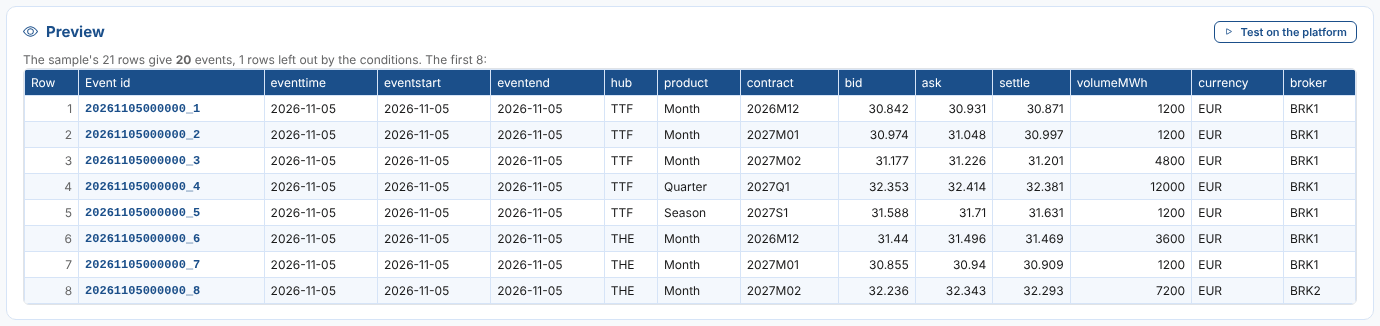
Then the preview shows the events the sample makes, before anything is saved: here, 20 events from 21 rows, with the broker's total line left out by a condition.
Fusion AI does the tedious part
Not sure how to map a file you have never seen? Ask Fusion AI. It reads the sample's columns and first rows and proposes the event type, every field's mapping, the rows to leave out and the event id.
When there is a choice only you can make, it asks, with buttons:
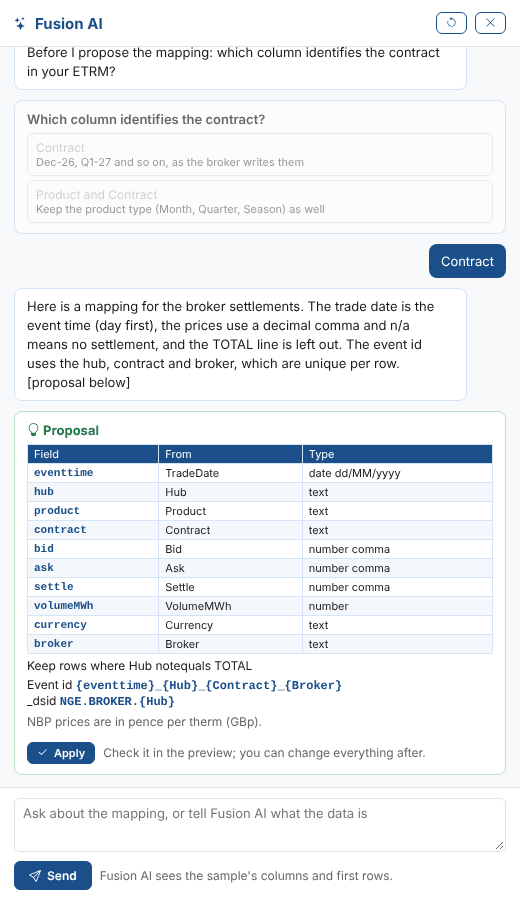
Apply the proposal, check it in the preview, and change anything you like.
Changing the text, in plain words
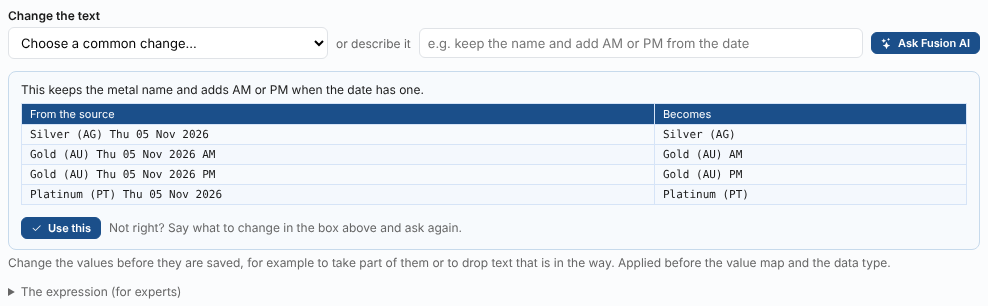
Real data is messy. A web page of metal prices writes its dates as Thu 05 Nov 2026 AM, with the morning and afternoon gold prices as separate rows. You want the date as the event time, and AM or PM on the gold name.
That used to mean a regular expression. Now you choose a common change from a list, such as Take out AM or PM at the end, or describe what you want in your own words and let Fusion AI work it out. Either way, you see what every value in the sample becomes before you use it.
Web pages, API keys and many calls
Some of the most useful data is the hardest to get at. Data Loaders handles the common cases on screen.
Tables on web pages. Show the page, point at a table and click it. The platform remembers which table it was and reads it the same way every run.
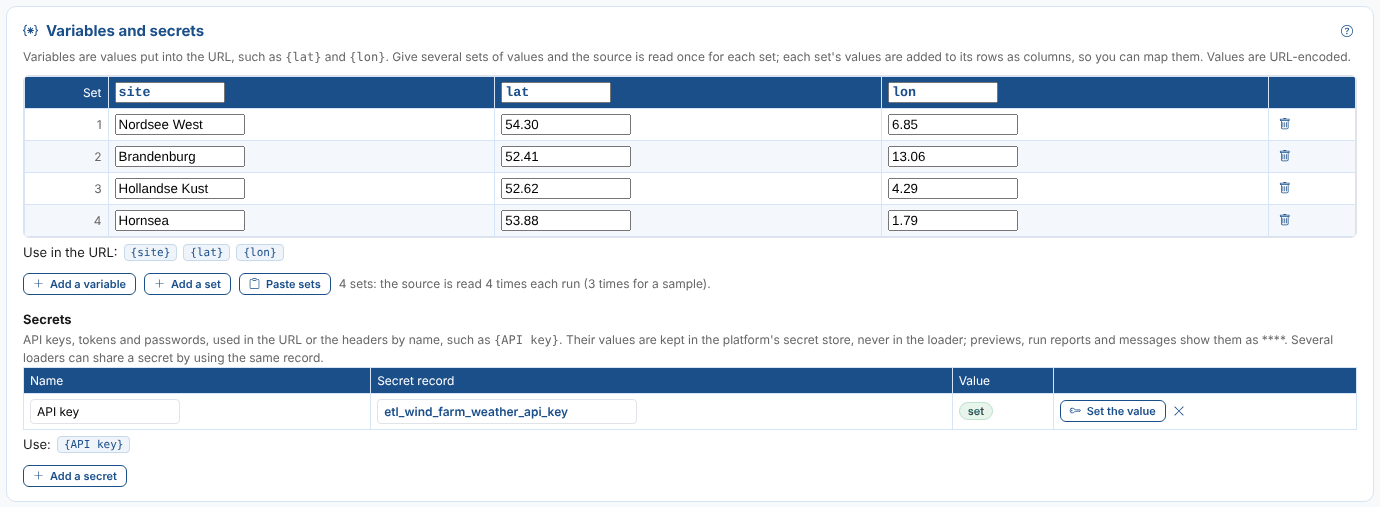
Secrets. An API key goes in the platform's secret store, never in the loader. The URL just says {API key}, and the key is masked in every preview and run report.
Variables. Call the same API once for each wind farm's latitude and longitude, or each product code, and every row says which call it came from.
Request bodies. Some data feeds only answer a POST with the list of codes you want. Add the body and its type, and the loader sends it.
Deploy, schedule, and forget about it
Destination. Choose the master data record and event list the events go to, and the event id. The id is built from the event time and the columns that make a row unique, so loading a file again replaces its events instead of adding copies.
Deploy and run. When every check passes, one click saves a workflow of the standard extract, transform, load and report actions, and a process that runs it. Choose weekdays at 18:30 UK time, every hour, or any schedule you like, with a holiday calendar.

Run it now for today, or for any earlier date to fill in history, and the run report shows the rows read, the events saved and the rows left out.
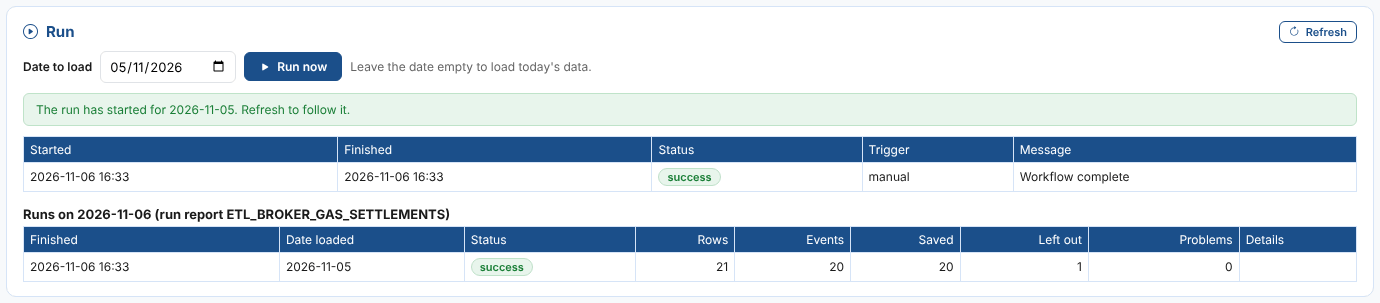
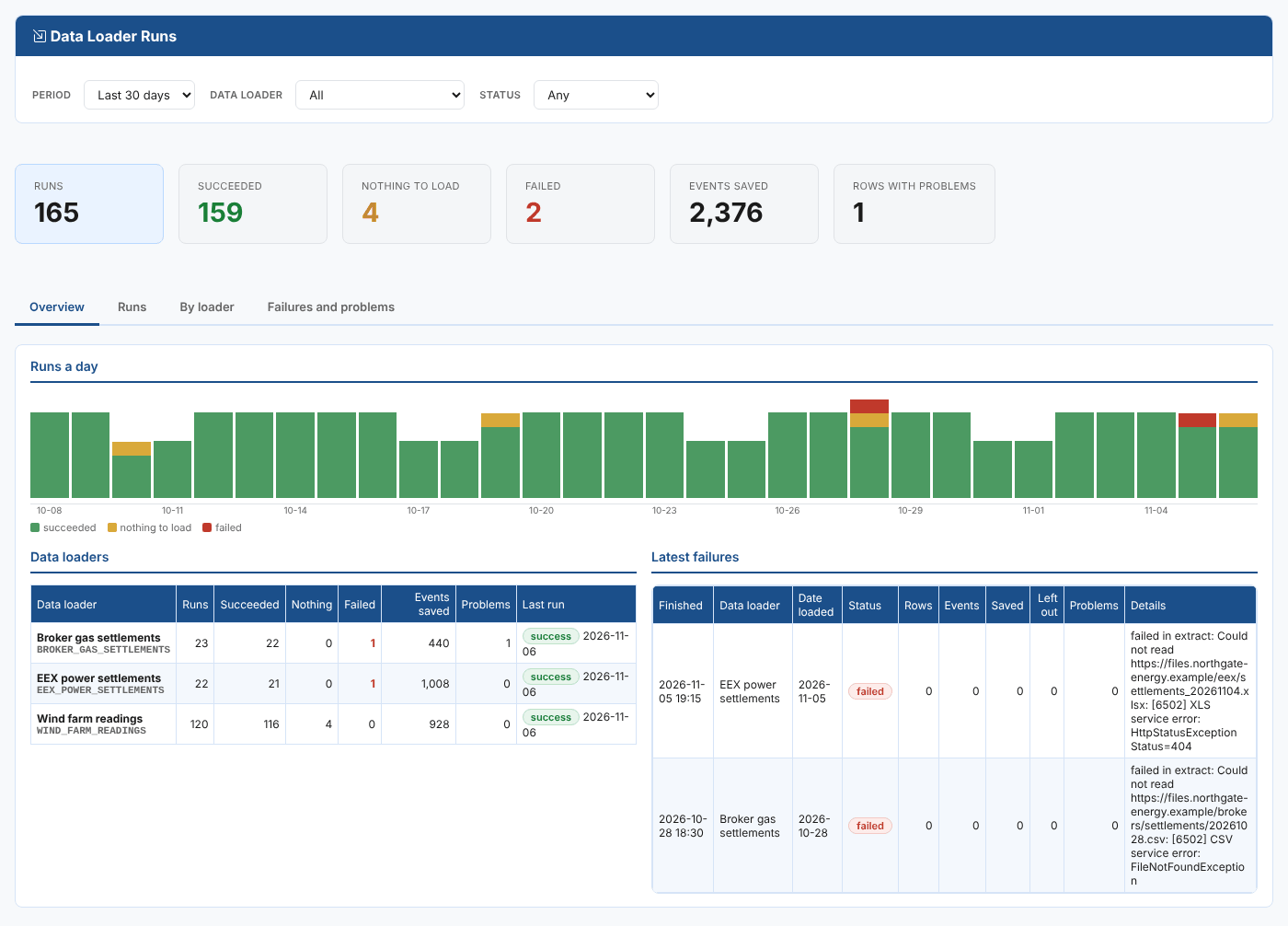
A run that cannot read its source or save its events raises an alert, so the team hears about a missing file before the traders do. The Data Loader Runs insight shows every loader's runs, failures and problem rows in one place.
From events to curves, once
Loaded events are useful on their own, but most of the time you want a series or a curve. The optional last step makes event timeseries, forward curves and option chains from the events, on the same master data record. Make one for each hub with a single form:
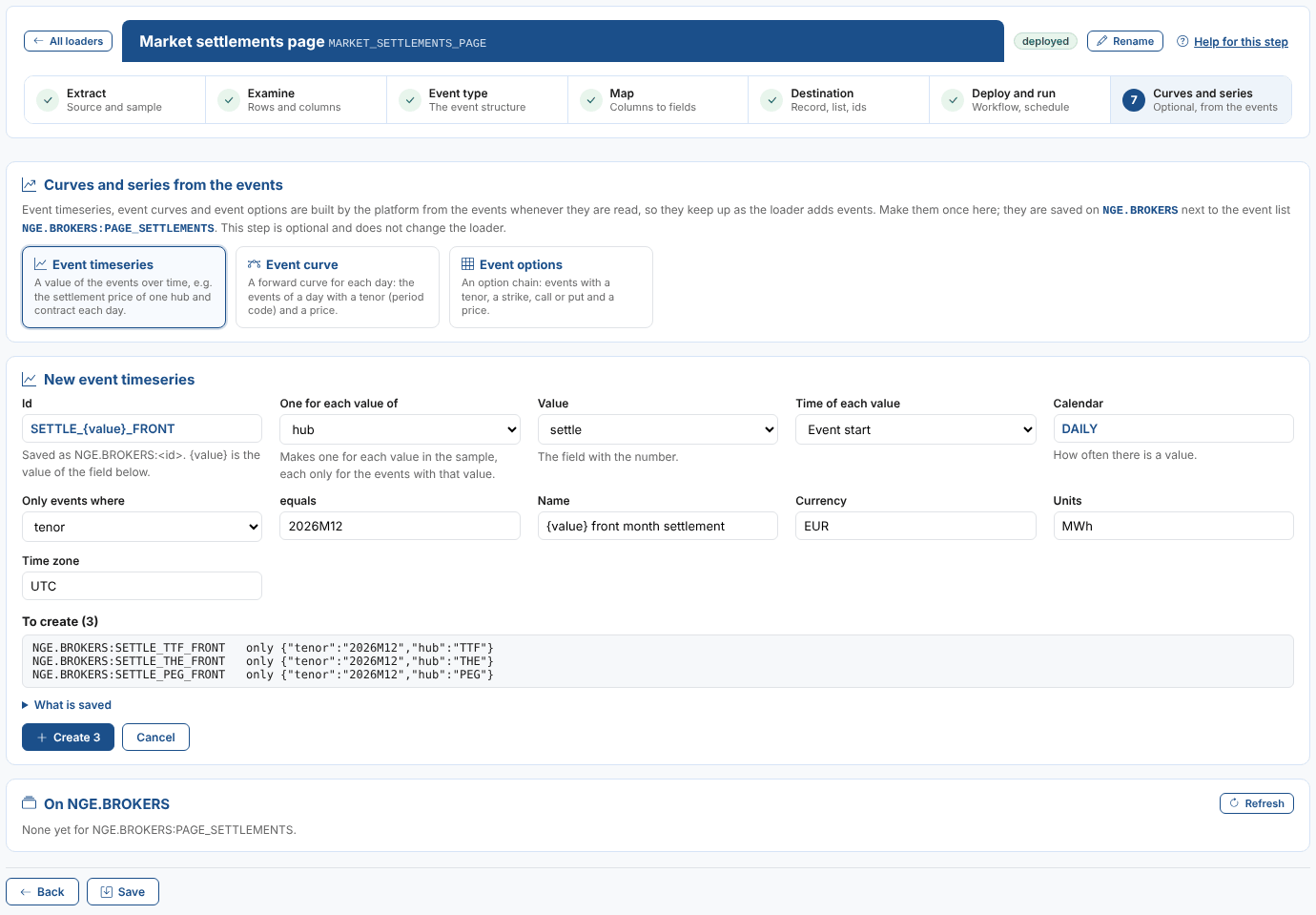
They are built from the events whenever they are read, so they keep up as the loader adds data, and they work with everything else on the platform: Validation, Composer, Integration and your dashboards.
Getting started
Data Loaders is available now as an extension for OpenDataDSL customers. Open Operations > Data Loaders, select New data loader, and point it at your first file.
The documentation covers everything in detail:
- What are Data Loaders?
- How data loaders work
- Building a data loader
- Mapping columns to fields
- Sources
- Deploying, running and scheduling
- Curves and series
- Fusion AI
- The Data Loader Runs insight
Any file or API, into the platform, without writing a script.
OpenDataDSL - Go Beyond the Basics.
Next steps
Do you have a file or API you have been meaning to load?
Send us an example, and we will build the loader with you and show you its first run.
- Contact us at info@opendatadsl.com
- Sign Up today and become part of the OpenDataDSL community!
- Fill out the form below, we will contact you to arrange a personally tailored demo.

How about a demo?
Our team is here to find the right solution for you, contact us to see this in action.
Fill out your details below and somebody will be in contact with you very shortly.