Integration - Every Curve, Every System, Every Morning, With Proof

Introducing Integration
Your curves are only useful once they are in the systems that trade, value and report on them. Getting them there, every morning, correctly and on time, is a job most firms still do with scripts and hope.
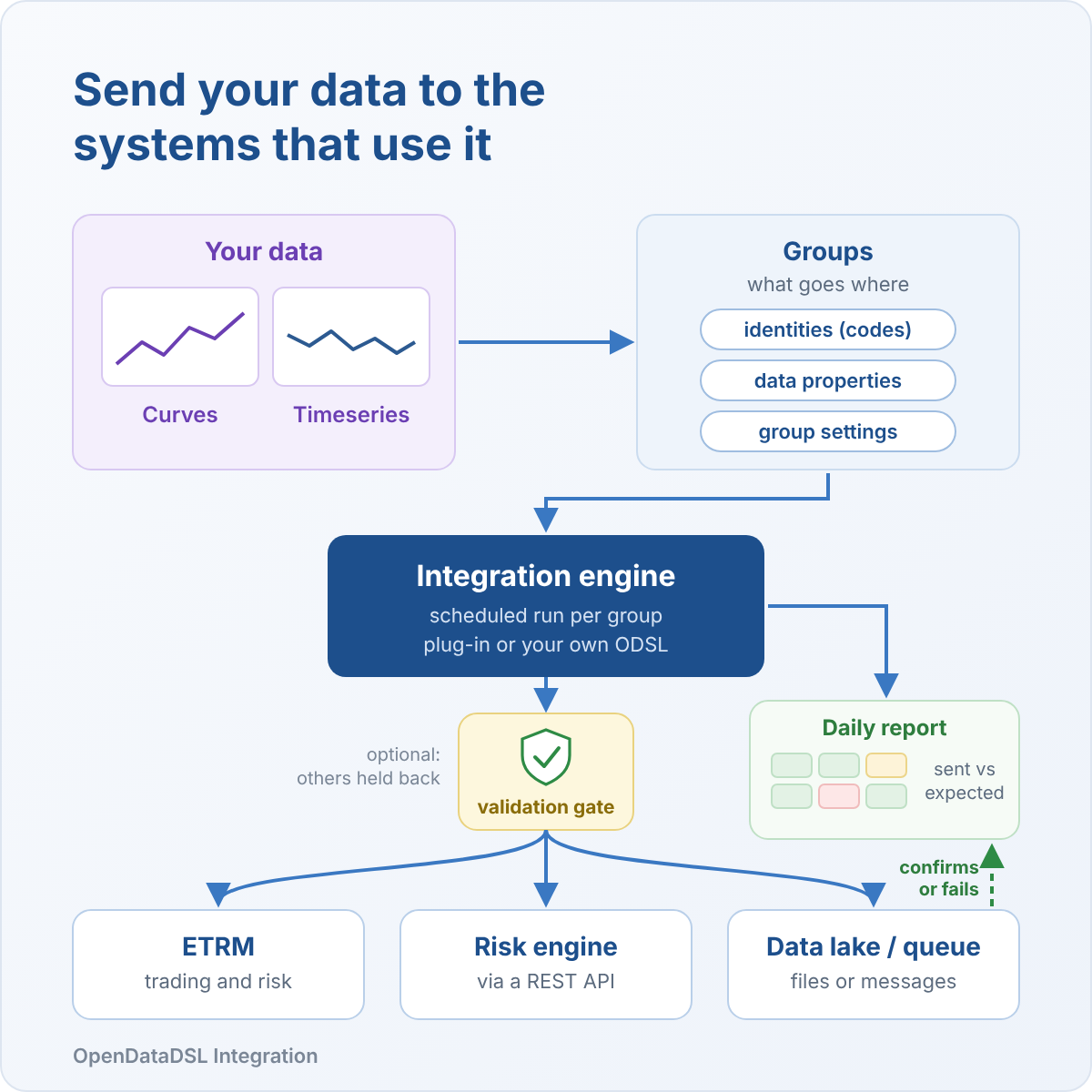
Integration sends your curves, timeseries and options to every ETRM, risk system and data lake you run, checks them on the way out, and gives the team one report that proves it all arrived.
The export nobody owns
Every morning your traders and risk team open the ETRM and trust that last night's curves are in it. Behind that trust there is usually a set of export scripts, a few scheduled jobs and one person who knows how they work.
It holds together until it does not:
- A curve arrives late and the morning valuation runs on yesterday's prices
- A code is mapped wrongly and a contract is marked against the wrong curve
- A job fails quietly and nobody finds out until a position looks odd
- A vendor corrects last month's prices and the ETRM never hears about it
- A new system goes live and the export work starts again from scratch
None of these is hard to fix once you know about it. The problem is finding out, and proving afterwards that the data that went out was right.
One source, every system
Most energy firms do not run one system. There is an ETRM for trading, a risk engine, a settlement platform, a data lake for analysts and a BI layer on top. Each one needs the same curves, in a different shape, with different codes, at a different time.
With Integration you define your data once and add a system for each destination. Plug-ins cover the systems energy traders use most:
- ETRMs: Molecule, Previse Systems, ION Allegro, ION Endur, Brady and more
- Data platforms: Azure Blob storage, Data Lake, Azure Files, Event Grid and Power BI
- Anything else: a new plug-in is quick to create, and Fusion AI can build one from a description of the system
Forward curves, timeseries, and options and traded options with their expiries and strikes all go through the same groups, checks and report.
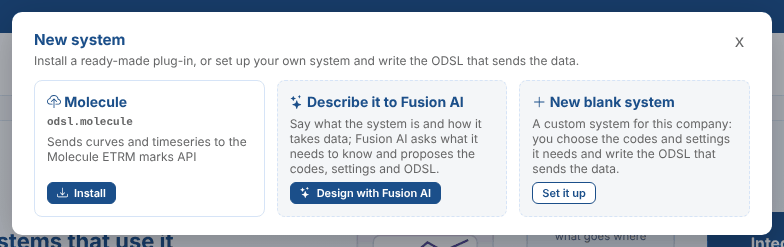
Each system gets its own groups: the data it needs, the codes it knows them by, the schedule it needs them on and the format it loads. Adding a system never touches the others, and when you move from one ETRM to another you run both side by side until you are ready to switch. To send the same way to a second destination, or to split one system by commodity, copy it to a new system with its own name, groups and report in a couple of clicks.
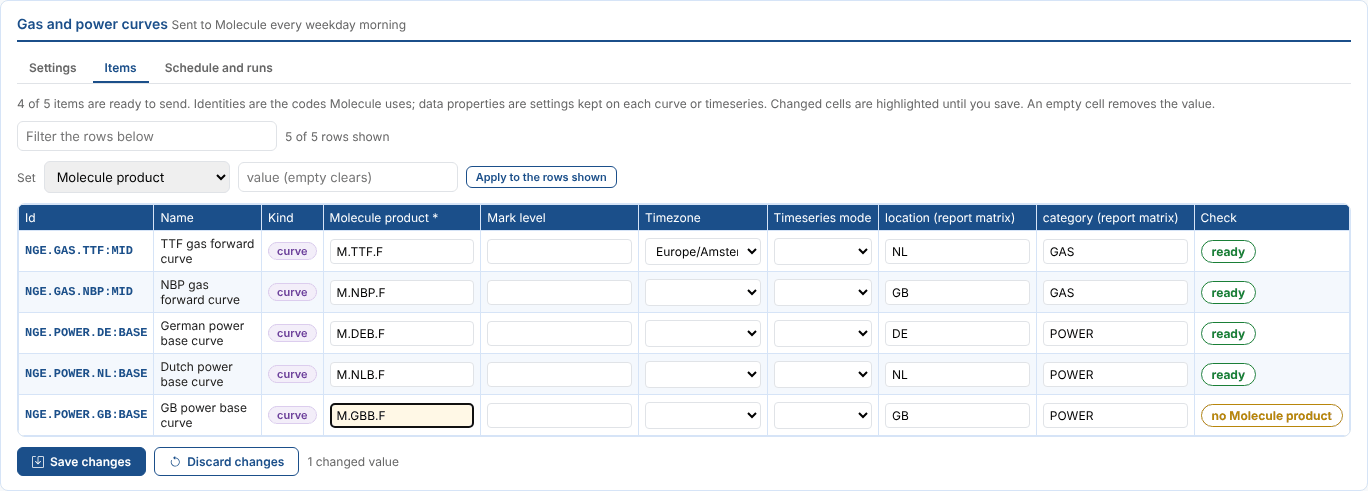
The plug-ins take care of the details that trip up home-grown exports: forward curves as marks for each contract, blended curves, and power sent as quarter hours, clock changes included.
Send only what you can stand behind
Sending data is the easy part. Knowing it was right is what lets a risk manager sign off the morning.
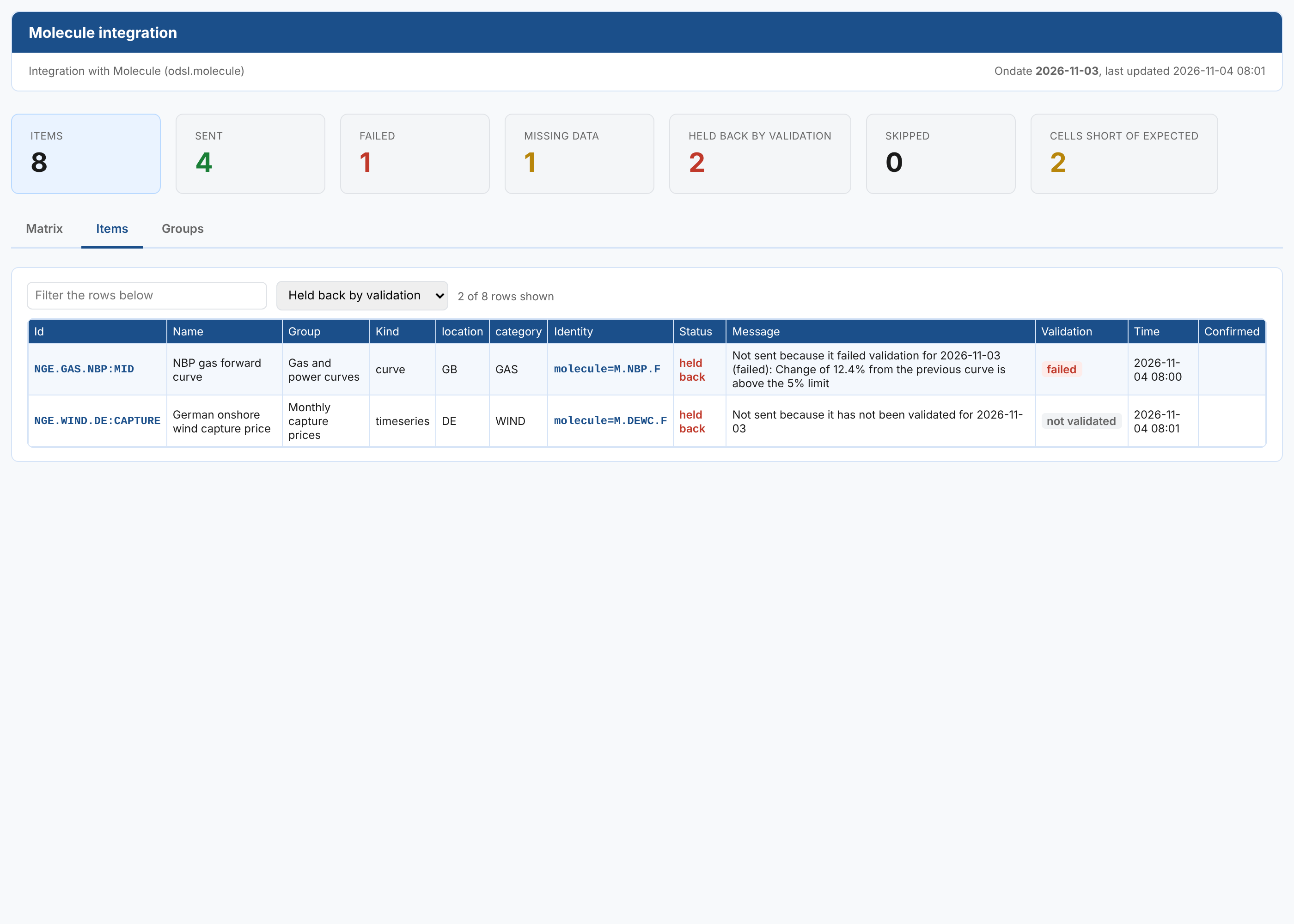
Integration works hand in hand with Validation. Turn on the validation gate for a group or a single curve, and only data that has passed its checks, or that someone has signed off, is sent. Anything else is held back, with the reason, and the alert names validation as the root issue so the team knows exactly where to look.
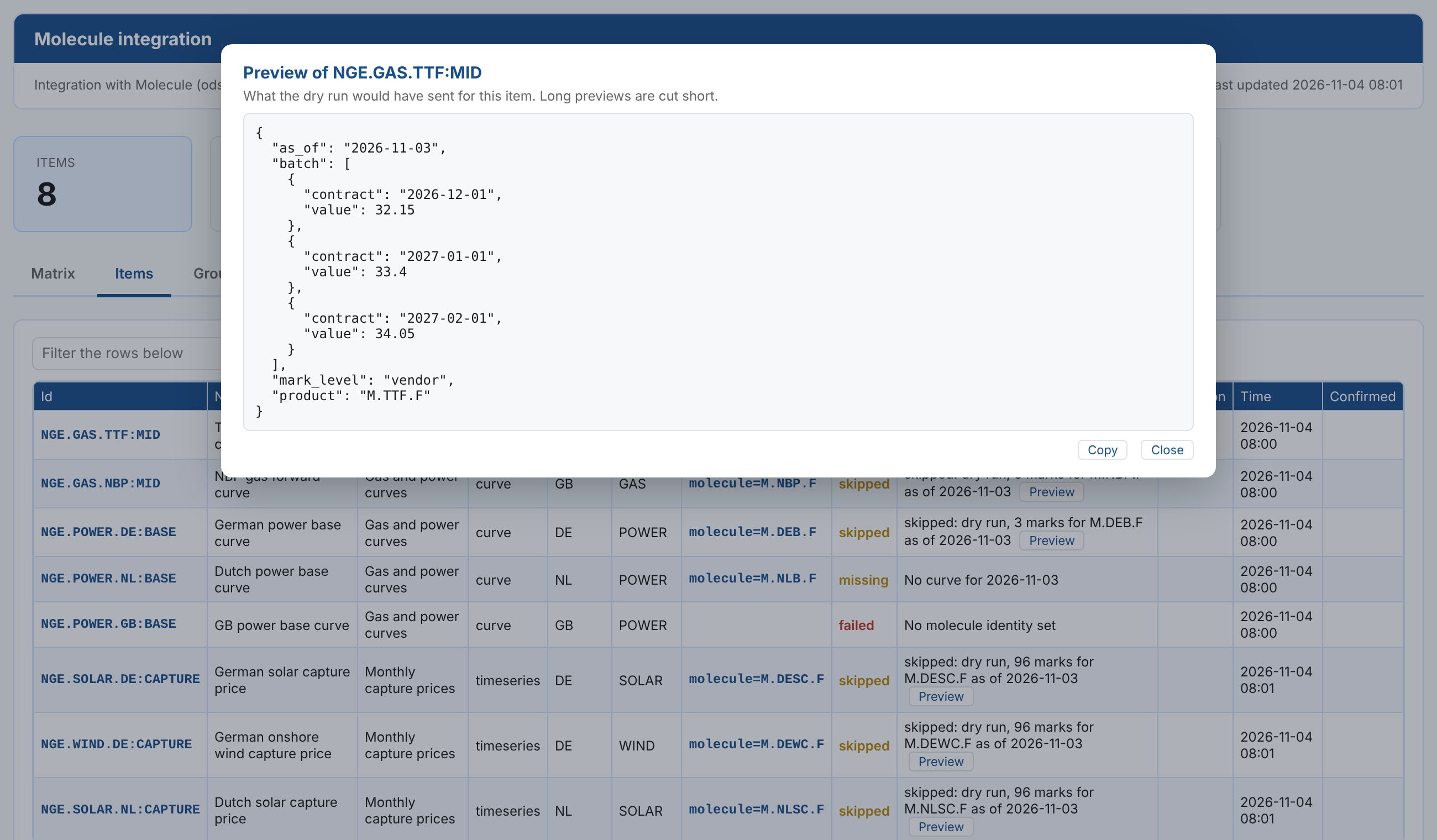
And before a new feed goes live, a dry run shows exactly what would have been sent, row by row, without sending anything.
When the data changes after it has gone
Prices get corrected. A settlement is revised, a capture price is restated, a vendor fixes last month's values. The curves in your platform are right, but the ETRM still holds what was sent before.
Integration watches for corrections to the data you send. When a value changes, it works out every day that used it and sends those days again, automatically or after someone approves them.
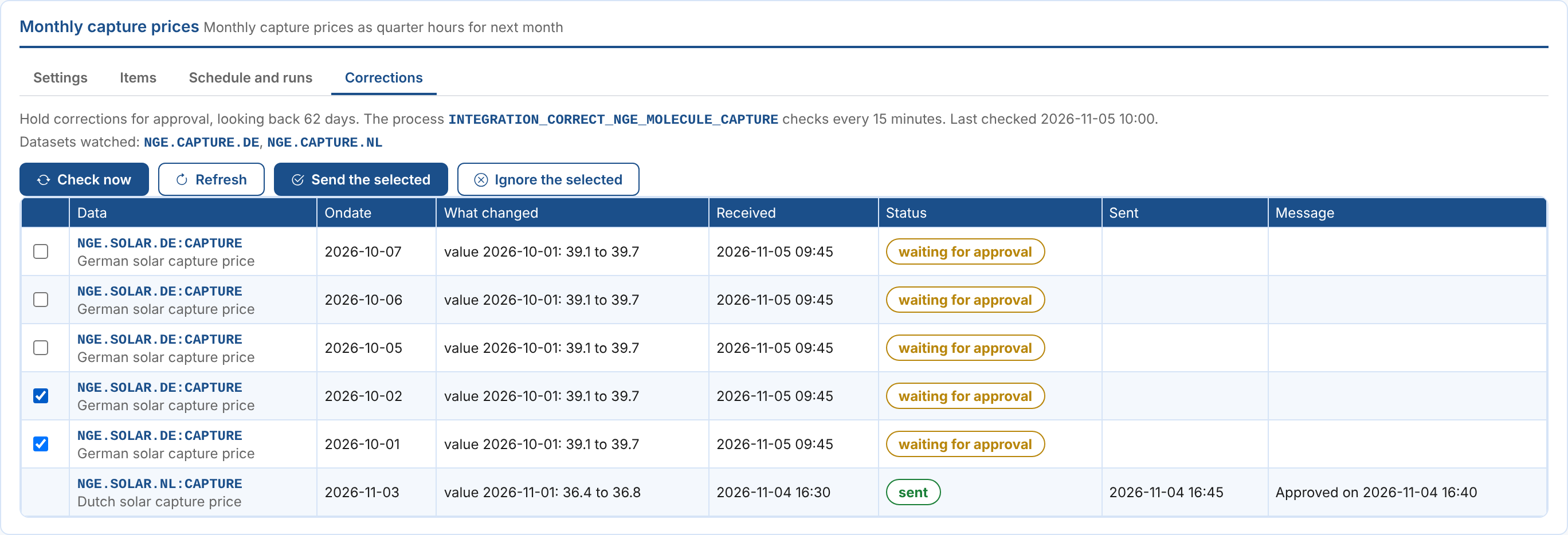
- Automatic or approved: send corrections straight away, or hold them until someone on the team signs them off
- Every day it touched: one corrected monthly value is sent again for each day of the month that used it
- Marked as corrections: systems that track revisions receive them as corrections, such as Molecule's mark levels
- In the report: corrected items are flagged with what changed, so the audit trail is complete
Proof, not hope
Every system gets a daily report, on screen and by email: a matrix of what was sent against what you expect, by commodity and region, with every item's status.
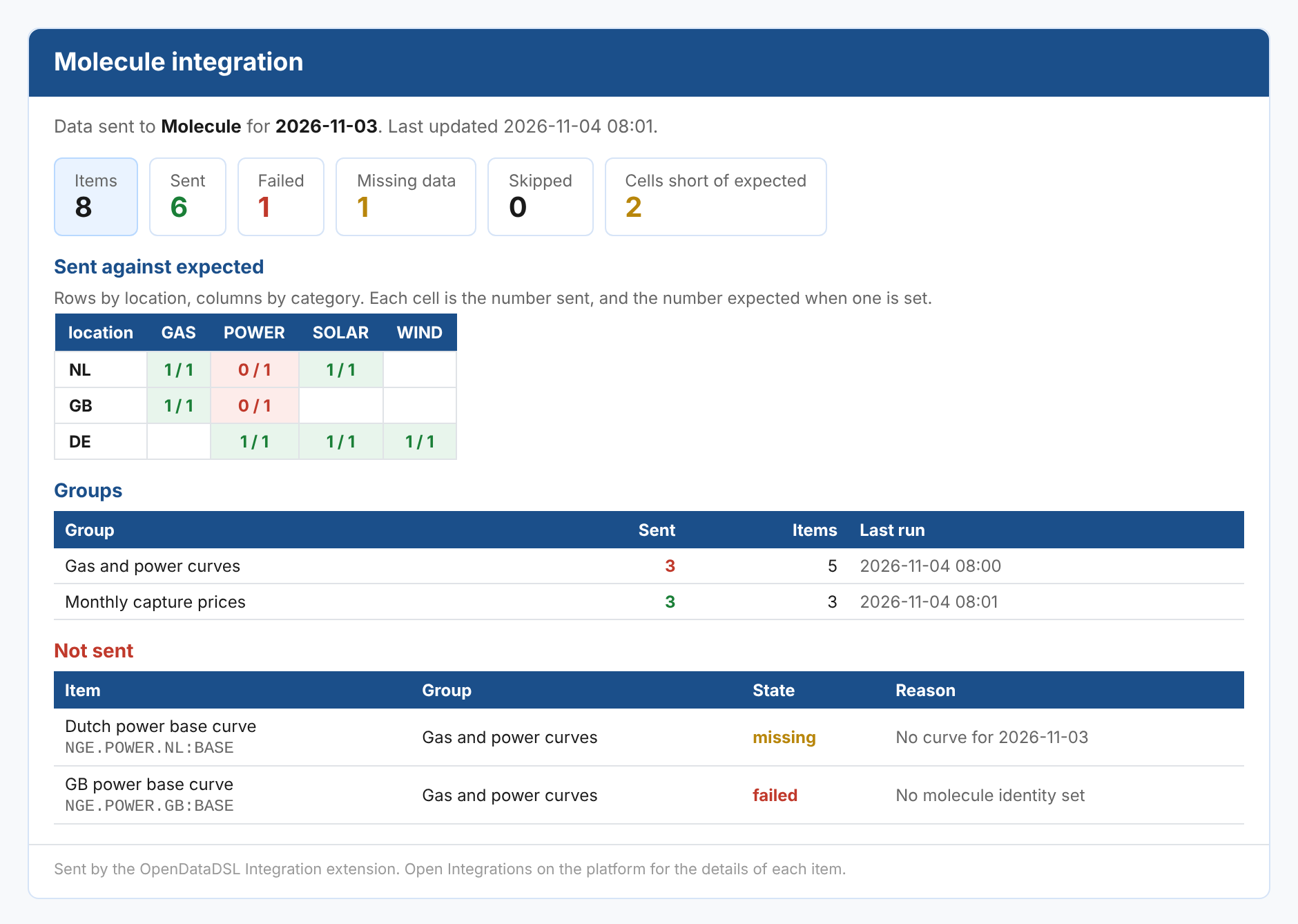
- Confirmations: the receiving system confirms each load, and anything unconfirmed is flagged
- Cutoff checks: set the time each system needs its data by, and get an email the moment something is going to miss it
- Alerts: every failure raises an alert with its root cause, ready for someone, or Fusion AI, to pick up
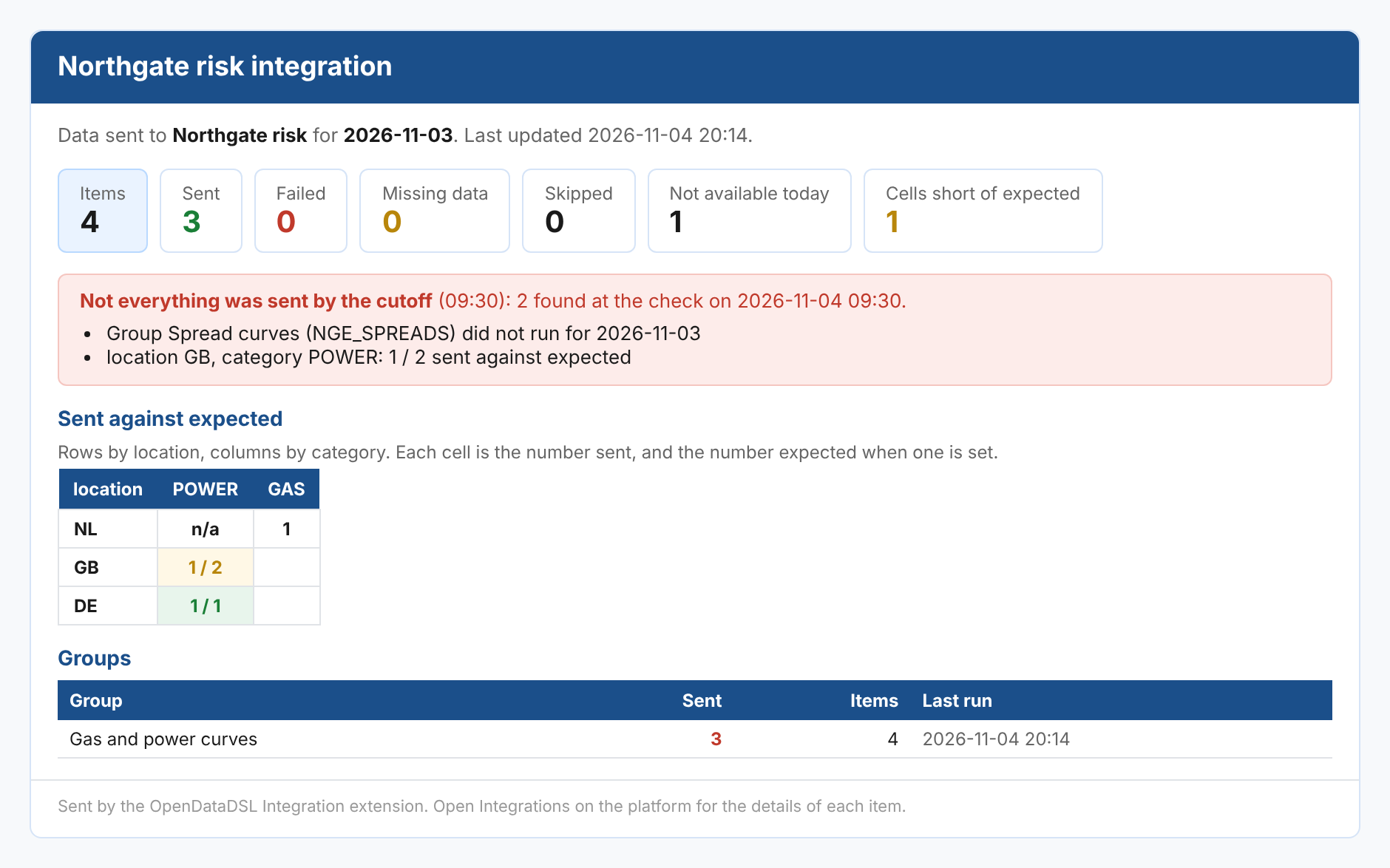
No more checking five systems to find out whether the numbers made it.
Catching up, in one run
New systems need history. A trader asks for last quarter's curves in the new risk engine, or a feed was paused during a migration.
A history export sends every date in a range in one run, with the same groups, codes, checks and report as the daily feed.

Getting started
Integration is available now as an extension for OpenDataDSL customers. Open Operations > Integrations, install a plug-in and set up your first group in minutes.
The documentation covers everything in detail:
- What is Integration?
- How integrations work
- Getting started
- The daily report
- The validation gate
- Corrections
- Custom systems
- Plug-ins
Every curve, every system, every morning, with proof.
OpenDataDSL - Go Beyond the Basics.
Next steps
Do you want to see your curves flowing into your ETRM?
Tell us which systems you send data to, and we will set up a group with your own curves and show you the daily report.
- Contact us at info@opendatadsl.com
- Sign Up today and become part of the OpenDataDSL community!
- Fill out the form below, we will contact you to arrange a personally tailored demo.

How about a demo?
Our team is here to find the right solution for you, contact us to see this in action.
Fill out your details below and somebody will be in contact with you very shortly.